How to use infosave/cmf-decision with cortiq:
# one Rust binary, no additional dependencies
cargo install cortiq-cli   # or a prebuilt binary from github.com/infosave2007/cmf/releases
hf download infosave/cmf-decision --include "*.cmf" --local-dir .
ls *.cmf                   # some repos ship more than one quantization
cortiq run FILE.cmf --prompt "What is the capital of France?"
cortiq serve FILE.cmf --port 8080 # OpenAI-compatible server
How to use infosave/cmf-decision with Laya:
# No code snippets available yet for this library.

# To use this model, check the repository files and the library's documentation.

# Want to help? PRs adding snippets are welcome at:
# https://github.com/huggingface/huggingface.js
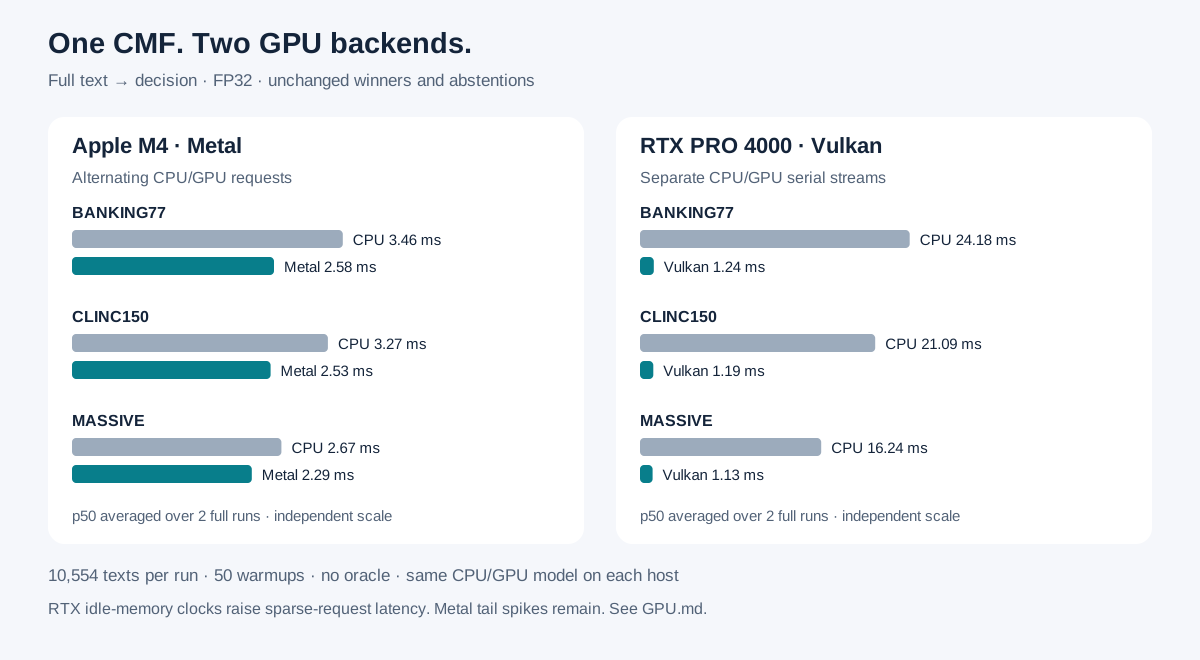
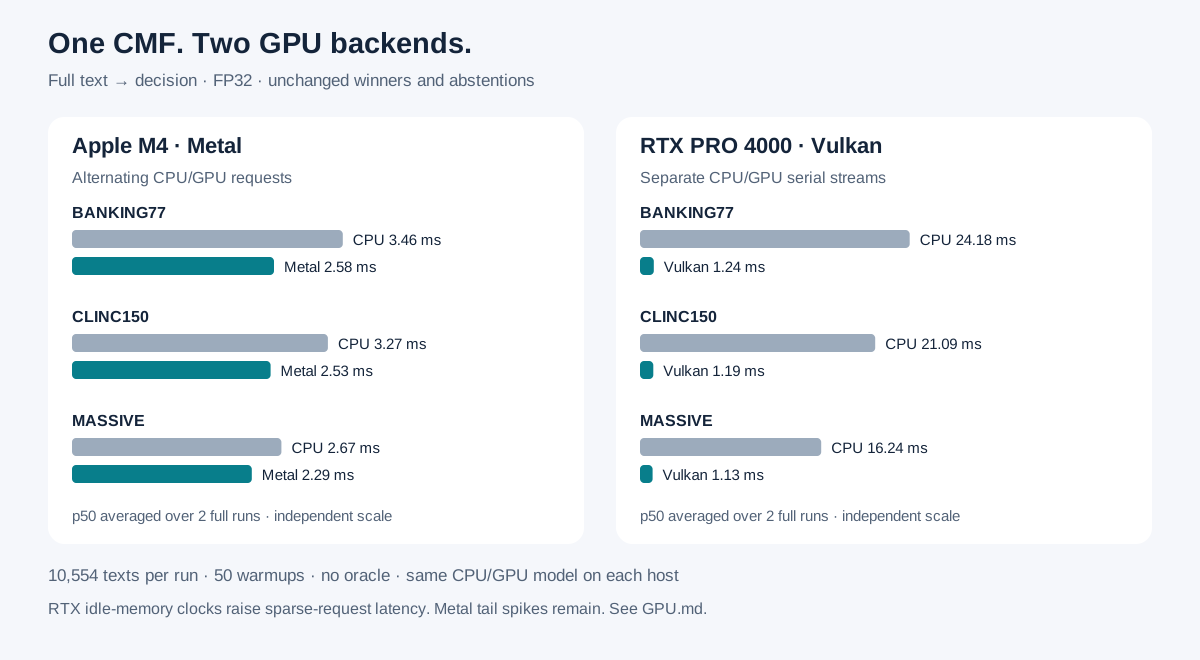
https://huggingface.co/infosave/cmf-decision/resolve/main/figures/gpu.svg
hf download hf://infosave/cmf-decision/figures/gpu.svg
curl -L -o gpu.svg https://huggingface.co/infosave/cmf-decision/resolve/main/figures/gpu.svg